Definition
A flat lay mockup is a top-down image of a product laid flat on a surface with your branding placed on it, used to preview how merch will look before you produce it. The item is shot or rendered from directly above, styled with props, and shows your logo, colors and design in a realistic scene. It is the fastest way to see and share a design without ordering a physical sample.
Definition
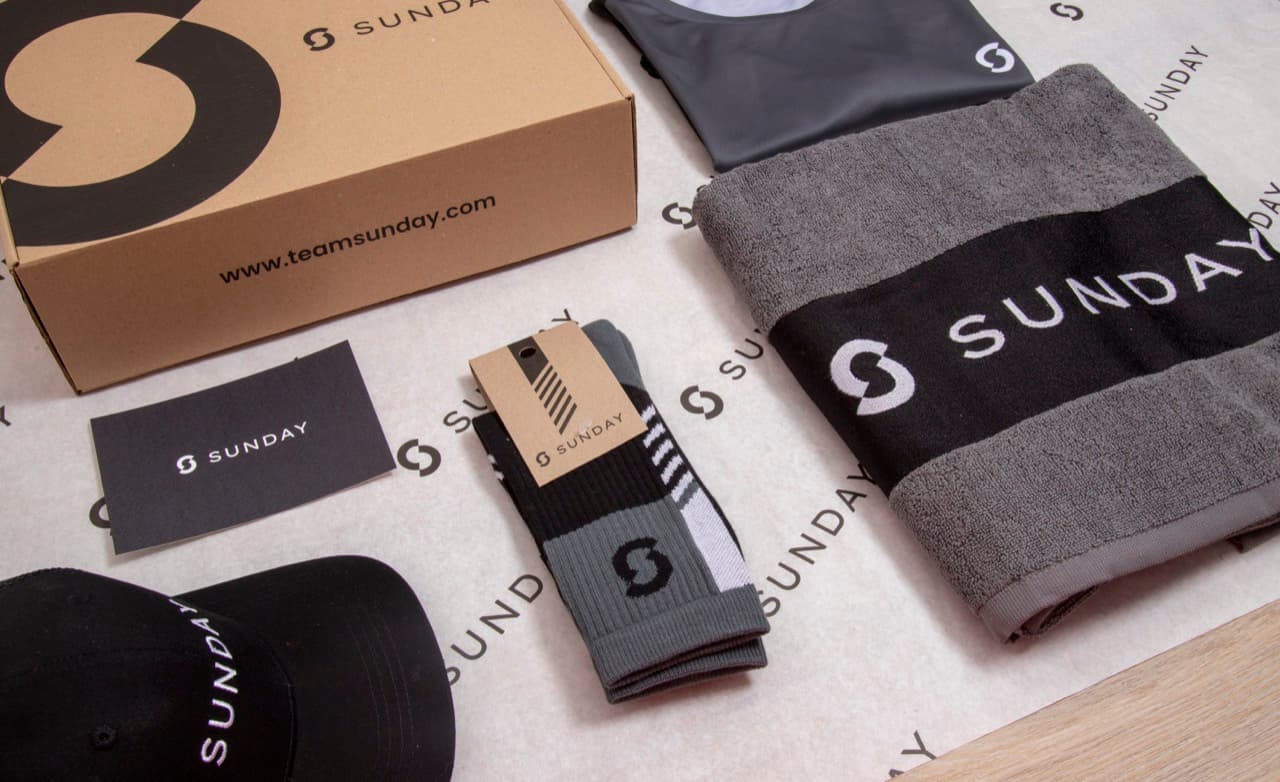
A flat lay mockup arranges one or more items flat on a background and photographs or renders them from a bird's eye angle, with your design mapped onto each product. Picture a cotton tote, an enamel mug and a folded t-shirt laid out on a warm linen backdrop. Your logo sits on the tote, wraps around the mug and prints across the chest of the shirt. In one image a client sees the whole kit and how the branding carries across it, long before anything is printed.
How a flat lay mockup works
A flat lay mockup starts with a base photo or 3D scene of the blank product shot straight down. A designer places your artwork on a smart object or mapped surface so it follows the folds, texture and lighting of the item. When the logo file changes, the mockup updates and the branding still looks like it was really printed. Good mockups keep the perspective flat and even so every product reads clearly.
Two things make a flat lay convincing. The angle stays perpendicular to the surface, so there is little distortion and the layout feels graphic and clean. The styling adds context, with props like plants, stationery or packaging that hint at how the merch is used. Shadows and highlights from the base photo carry onto the artwork so it sits in the scene instead of floating on top.
A flat lay mockup is a preview, not a production file. It shows placement, scale and color intent, but the printed result still depends on your artwork quality and the color system you use. Supply a vector file so the design stays sharp when it is scaled onto the mockup, and confirm brand colors with Pantone references rather than trusting the screen. Check the DPI of any photographic elements so they hold up if the mockup is printed inside a proposal.
Flat lay mockup in branded merch
- Client proposals and pitches. Present a branded kit as a single styled flat lay so stakeholders see the whole range at once. Approval comes faster because the design is shown in context, not as a logo on a white square.
- Online store and catalog images. Use flat lay mockups as product images in a company store or lookbook. Consistent top-down shots give every item the same clean, on-brand feel without a separate photoshoot for each one.
- Social and campaign visuals. Flat lays perform well on social feeds and email. A styled arrangement of merch announces a new collection or event kit and is easy to reshoot with different products.
A flat lay mockup is a styled, top-down image of a product laid flat with your artwork applied, used to preview and present branded merch before production.
5 tips to elevate your Flat lay mockup strategy
| Tip | Steps |
|---|---|
| Start from a high-res base | Use a mockup built from a sharp, well-lit base photo so your branding looks real, not pasted on. |
| Match the light direction | Place artwork so its shadows and highlights follow the base image, keeping the logo grounded in the scene. |
| Keep placement realistic | Scale and position the design where it would truly print, so the mockup sets accurate expectations. |
| Mind the color gap | Screen color differs from print, so confirm key shades with Pantone before sign-off. |
| Use vector artwork | Drop in vector files so logos stay crisp at any size on the product surface. |
Key Terminologies
Frequently Asked Questions
What is a flat lay mockup?
A flat lay mockup is a top-down image of a product laid flat with your design placed on it, used to preview branded merch before production. It shows placement, scale and color in a realistic scene.
What is the difference between a flat lay mockup and a regular mockup?
A regular mockup can show a product from any angle, including on a model or in 3D. A flat lay mockup specifically shoots the item flat from directly above, giving a clean, graphic layout that suits kits and catalogs.
Can I use a flat lay mockup as a final print file?
No. A flat lay mockup is for preview and presentation only. The actual print uses your source artwork and color specifications, so always send a print-ready vector or high-resolution file for production.
How do I make a flat lay mockup?
Start with a top-down base photo or 3D scene of the blank product, then place your artwork on the mapped surface or smart object so it follows the texture and lighting. Style the scene with props and export the image.
Why do flat lay mockups matter for merch?
They let clients and teams see branding in context before spending on samples. A clear flat lay speeds up approval, reduces costly reprints and makes a merch range look consistent across every product.